Most people learn Excel formulas the same way. Someone shows them =SUM(D2:D6) once, and they copy it from sheet to sheet for years. That works until something breaks. Then a total stops adding up, or a column fills with #DIV/0!, and nobody knows why.
The way to really learn formulas is to write them yourself, get some wrong, and see what went wrong. That's what Excel Formula Desk is for. You work at a small café chain, and the owner, Rajan, keeps asking for numbers. You answer with real Excel formulas on a sheet that looks and works like Excel.
This post walks through what it teaches, and the mistakes it's built to catch.
Enter fills one cell. Then you copy it.
In Excel, pressing Enter puts your formula in one cell only. To use it for the other rows, you copy it down with the fill handle, the small square at the corner of the cell. Double-click it, or drag it down.
The game works the same way. After Enter, it tells you if the first cell is right. Then you copy the formula down yourself.
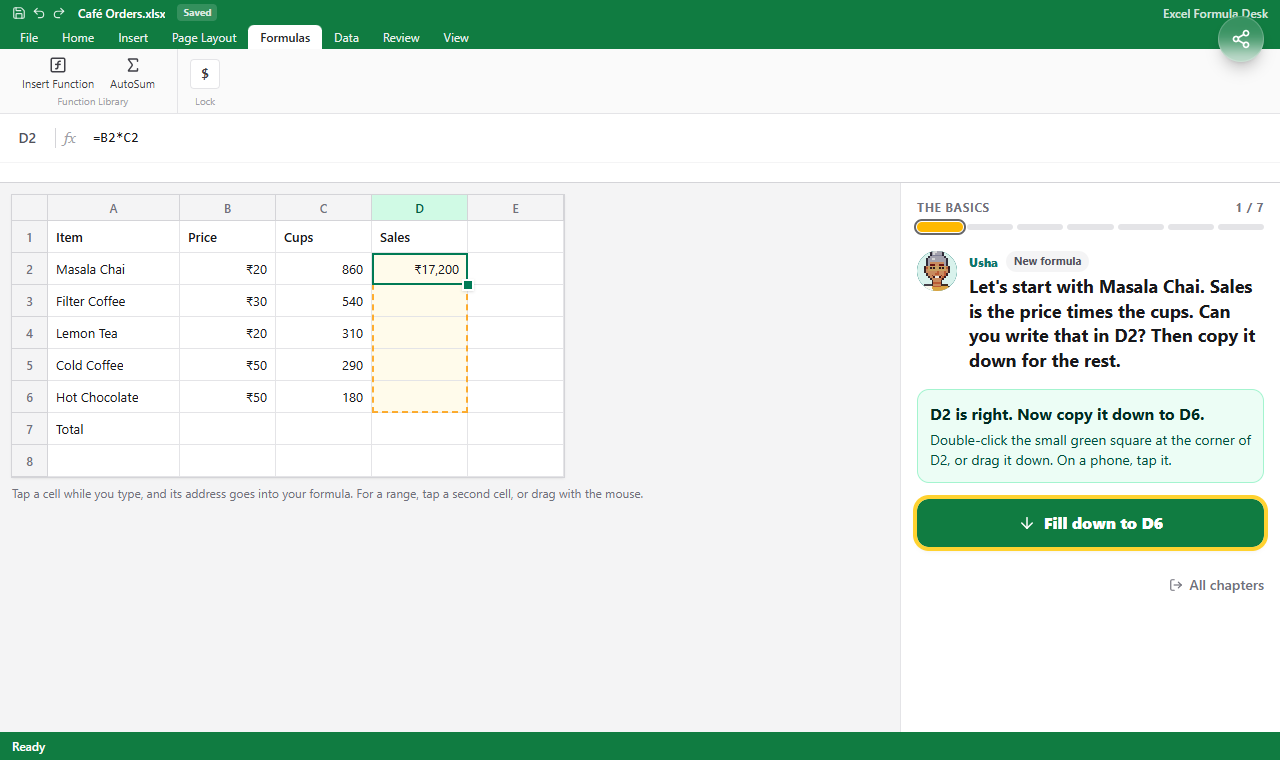 D2 is right. The dashed box shows where the formula still has to go.
 Double-click the small green square, and the formula fills down to the last row.
This matters because many formula mistakes only show up after the copy. Row 2 looks fine, and row 3 is wrong.
Chapter 1: the basics
The first chapter covers the formulas people use every day:
| Formula | What it does |
|---|---|
=B2*C2 | The number in B2 times the number in C2 |
=SUM(D2:D6) | Adds up every cell from D2 to D6 |
=MAX(C2:C6), =MIN(C2:C6) | The biggest and smallest number in the range |
=AVERAGE(B2:B6) | Adds up the range and divides by how many numbers it found |
=(B2+C2)/2 | Brackets go first, so this adds, then divides |
The brackets one catches a lot of people. Excel does * and / before + and -, so =B2+C2/2 divides C2 by 2 first. In the game, Rajan's "average" says 1,230 cups, more than either week, and you fix it. Microsoft lists the full order on its operators and precedence page.
The other one is a range that misses a row. You add a new drink in row 7, but the total still says =SUM(D2:D6). Nothing looks broken. The total is just wrong.
Chapter 2: copying and $ signs
When you copy a formula down, Excel moves its addresses down too. =B2*C2 in D2 becomes =B5*C5 in D5. That's why one formula works for every row.
But sometimes one address must stay still. Say the Onam discount is in B9. The sale price in row 2 is =B2*(1-B9). Copy it down, and row 3 becomes =B3*(1-B10). B10 is empty, so there's no discount at all.
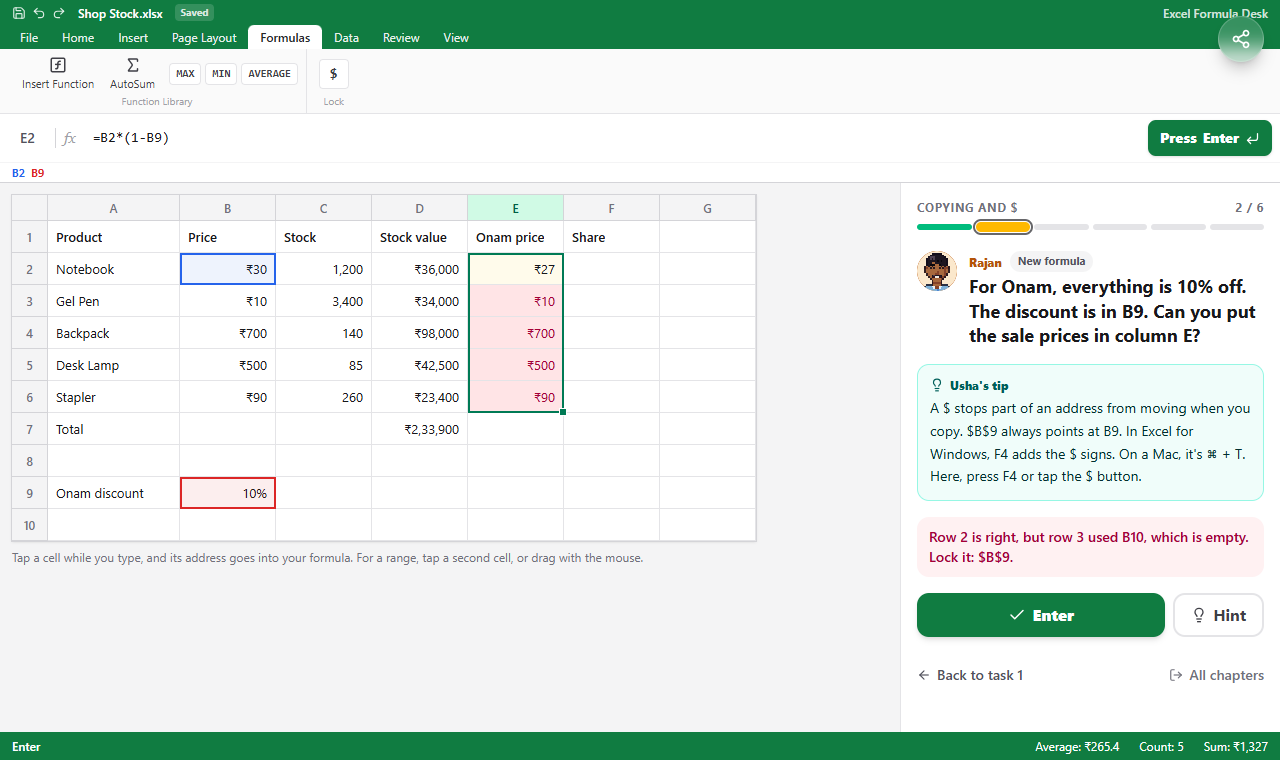 Row 2 is right, but the copies moved B9 down. The game marks the wrong rows and says why.
A $ sign stops part of an address from moving:
| You write | After copying down | After copying right |
|---|---|---|
B9 | moves | moves |
$B$9 | stays | stays |
B$9 | stays (the row is locked) | moves |
$B9 | moves | stays (the column is locked) |
In Excel for Windows, press F4 after an address to add the $ signs. Each press moves to the next form. On a Mac, it's ⌘ + T. Microsoft explains it on its relative, absolute and mixed references page.
The chapter also covers a running total (=SUM($B$2:B2), where only the start is locked) and a price table. That one is filled with a single formula, =$B2*(1-C$1), copied right and then down.
Chapter 3: decisions with IF
IF lets a cell answer a question. It picks one of two answers:
=IF(test, answer if true, answer if false)
So =IF(B2>=C2,"Yes","No") says Yes when a branch's sales reach its target. Microsoft's IF page has more examples.
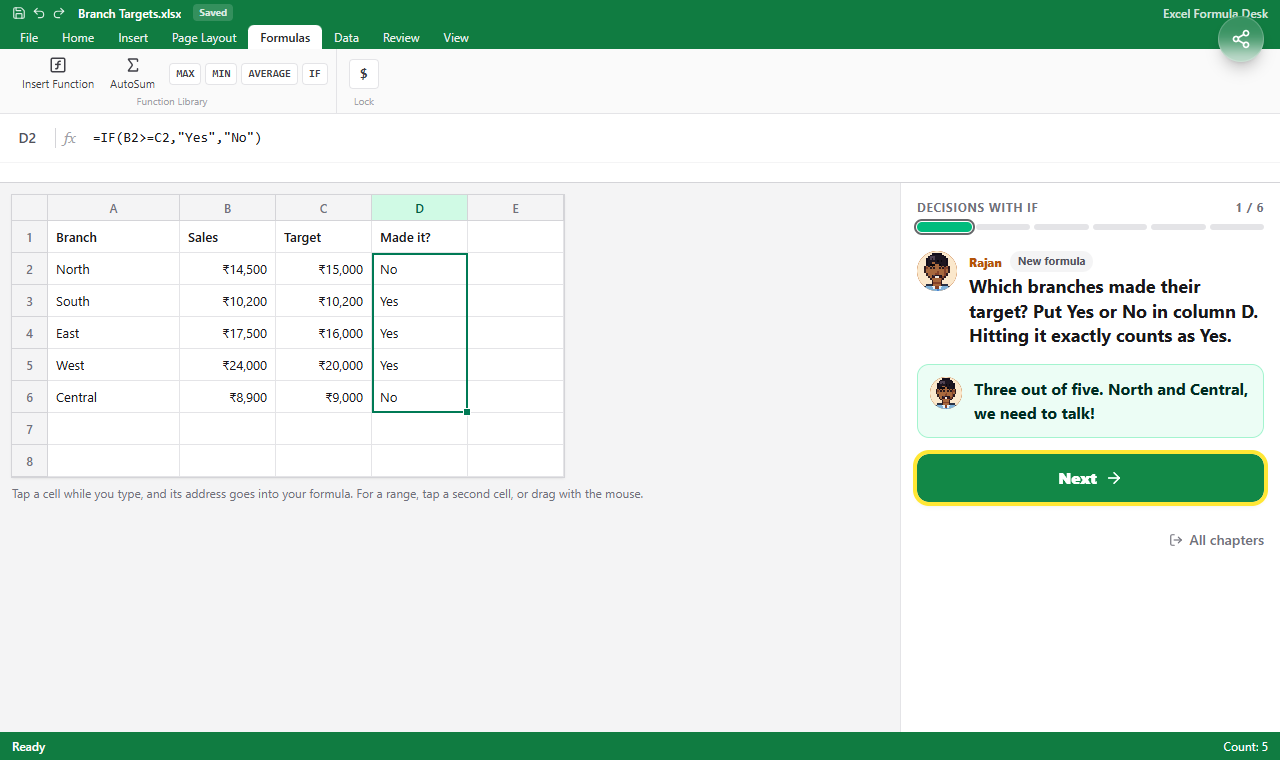 Three branches made their target. South made it exactly, which is why the test uses >=.
The mistakes the chapter is built around:
>or>=? "More than 300" is>300. "300 or more" is>=300. Most of the sheets have someone exactly on the line, so the difference shows.- Quote marks. Text answers need them:
"Yes". But numbers must not have them.=IF(B2>"300",...)compares a number with the text "300", and in Excel any text counts as bigger than any number. So the test is never true. - AND or OR?
AND(test1,test2)needs every test to be true.ORneeds just one. - More than two answers.
IFSchecks its tests in order and stops at the first true one. End it withTRUEfor everyone else, or you get#N/A. IFS came in Excel 2019, as Microsoft's IFS page says. In older Excel, put one IF inside another. The game accepts both.
How the game checks your answer
The game doesn't compare your formula's text with a stored answer. It works your formula out the way Excel does, on the sheet you see. Then it runs the formula on hidden copies of the sheet with other numbers.
So any correct formula passes. =C2*B2 is as good as =B2*C2. But a typed-in number never passes, even when it's right today, because it doesn't change when the numbers do. A missing $ is caught too, even when row 2 looks right.
When something's wrong, you get one line about your own formula. For example: "In row 3, $B9 moved down to $B10. Put a $ before 9 to keep it: $B$9."
What you learned
Each chapter ends with short notes, each with a formula from that chapter, and a button to copy them.
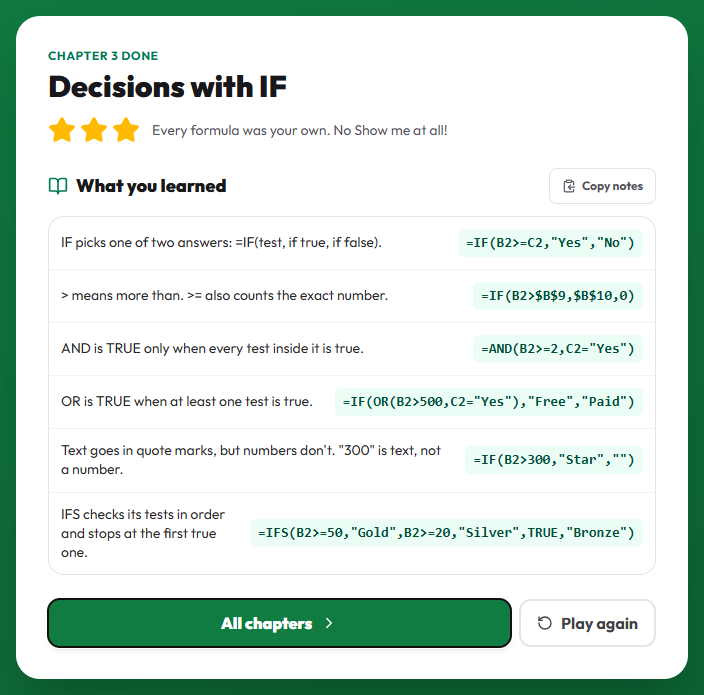 The notes at the end of Chapter 3. Copy them and keep them next to your own sheets.
Try it
Excel Formula Desk is free and works in the browser, on a laptop or a phone. There are three chapters now, with more coming: counting with conditions, lookups, and text and dates. The formulas work the same way in Google Sheets.
If you'd also like to stop reaching for the mouse, Excel Ninja teaches the keyboard shortcuts, on the same café sheets.